Overview
The Bulk User Assignment project was developed to help the administrators to assign workers to clients’ projects in the Admin Portal platform.
Problem Statement
Admins had to use an external tool to import the CSV list of workers and the tool took a day to render the results. Sometimes the tool returned an error and the admins had to reupload the steps.
After the results were returned in an excel format, admins had to check results with errors which took a long time as there were hundreds of records to go through.
Admins had to cross reference a few excel sheets to extract the workers information and manually add them into admin portal.
The admins wanted all of the data to be captured and displayed which was quite challenging as it was not feasible displaying everything in the small screen.
Goal
Automate the assignment of workers process in Admin Portal.
Users & Audience
There’s only one persona who used this feature, which was the administrator.
Roles & Responsibilities
I was assigned to work on this project with the KL team, collaborating with the Product Owner, developers and testers. The Product Owner, Technical Lead and I held discovery and design review sessions remotely with the users involved, to get requirements and finalized the designs.
Scope & Constraints
The scope of this project were :
- Automate the adding and edit workers process.
- Stopped relying on the external tool which was not part of the platform and could caused security concerns.
- Redesign the user interface and simplified the flow.
The scope of this project were :
There was a major constraint that I needed to consider as well.
The platform was a legacy system developed by a vendor and the UI/UX flows were confusing to use.
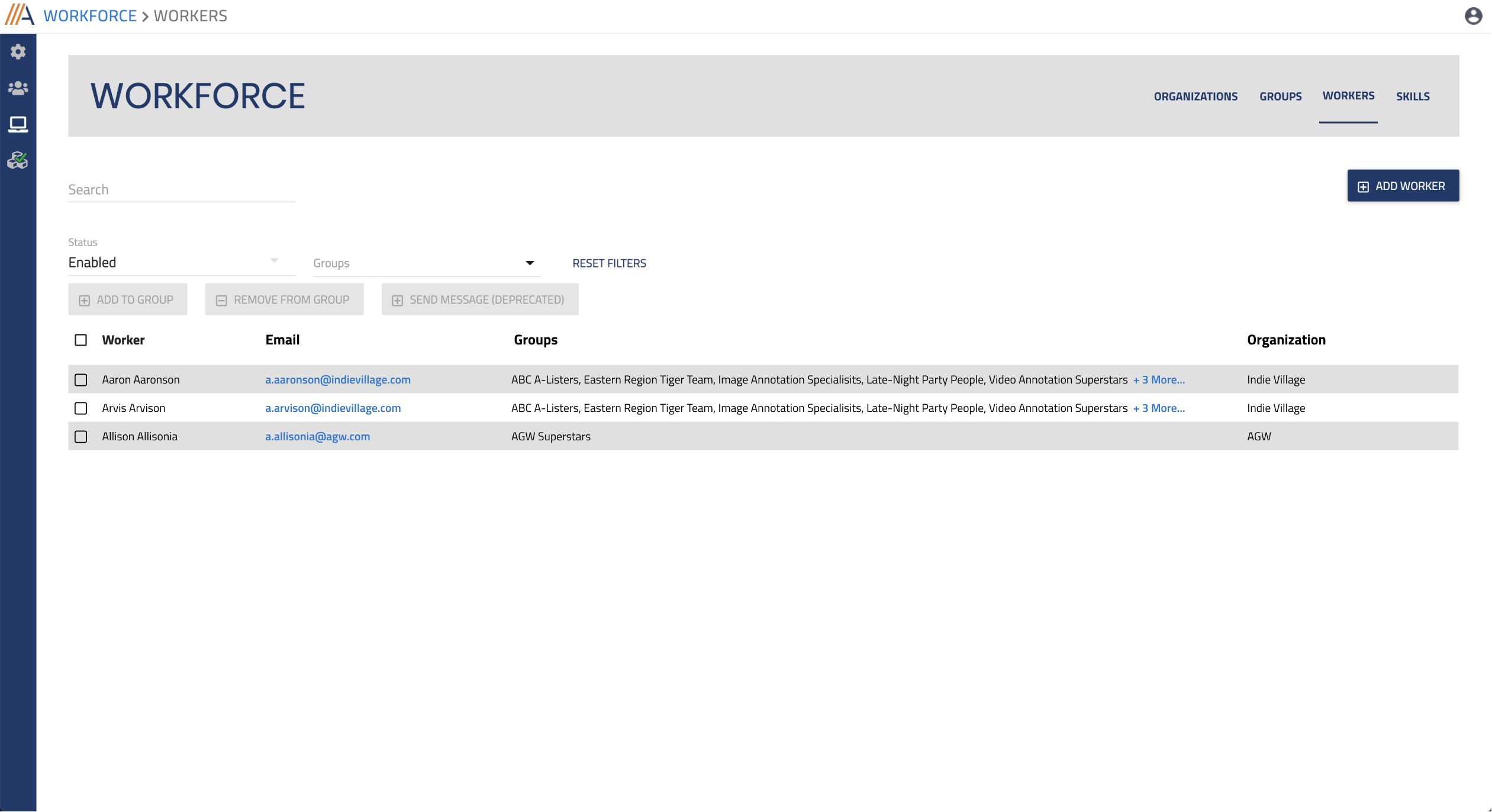
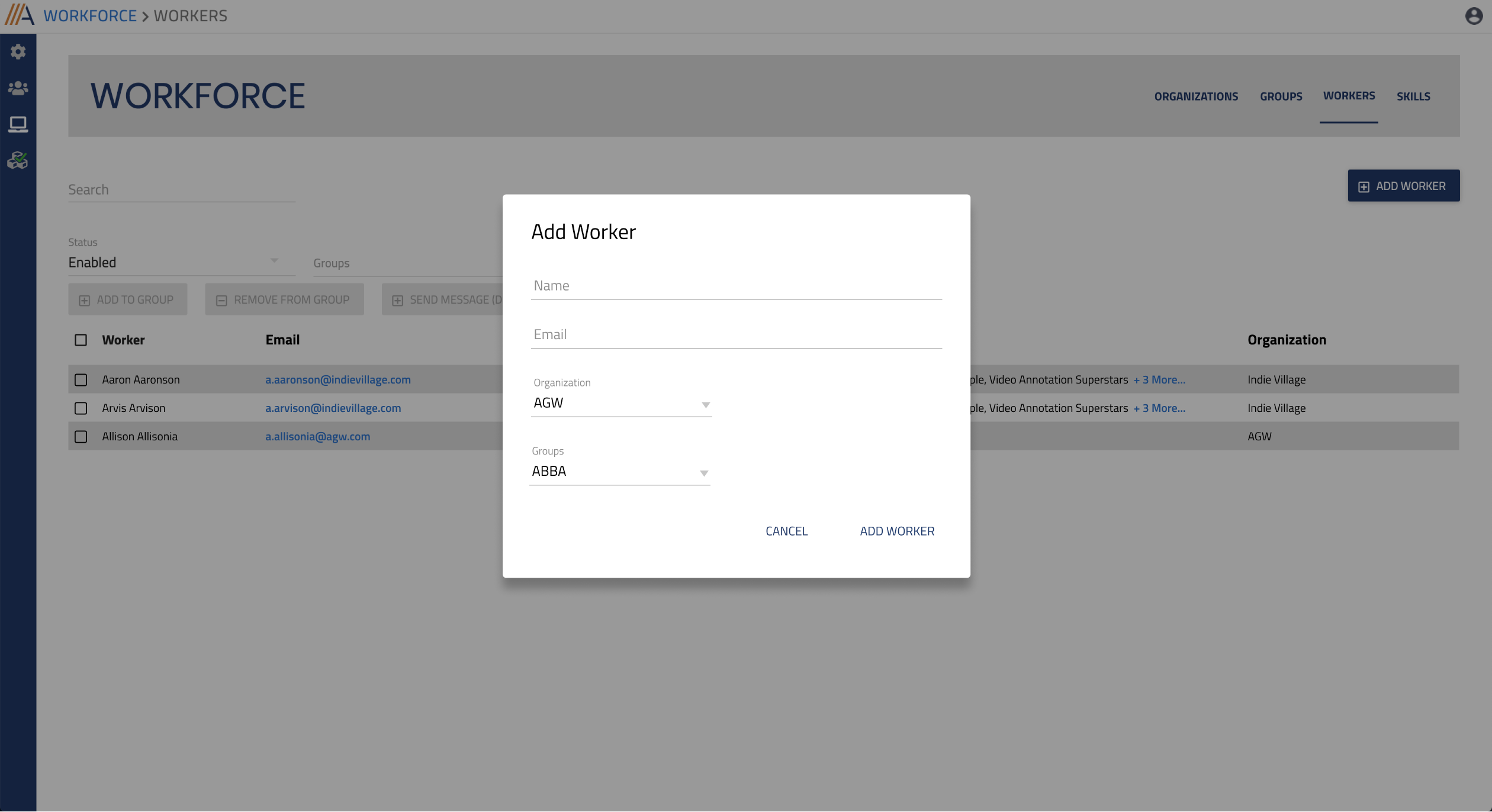
I had to make sure when I redesigned the user interface and the components for the ‘Workers’ page, they should not affect much on the technical side, and the developers should not spend a lot of time rebuilding the UI components.
The Process and Solution
I had a few discovery phases with the users, Product Owner and the Technical Lead to find out how the users add the workers in their current process.
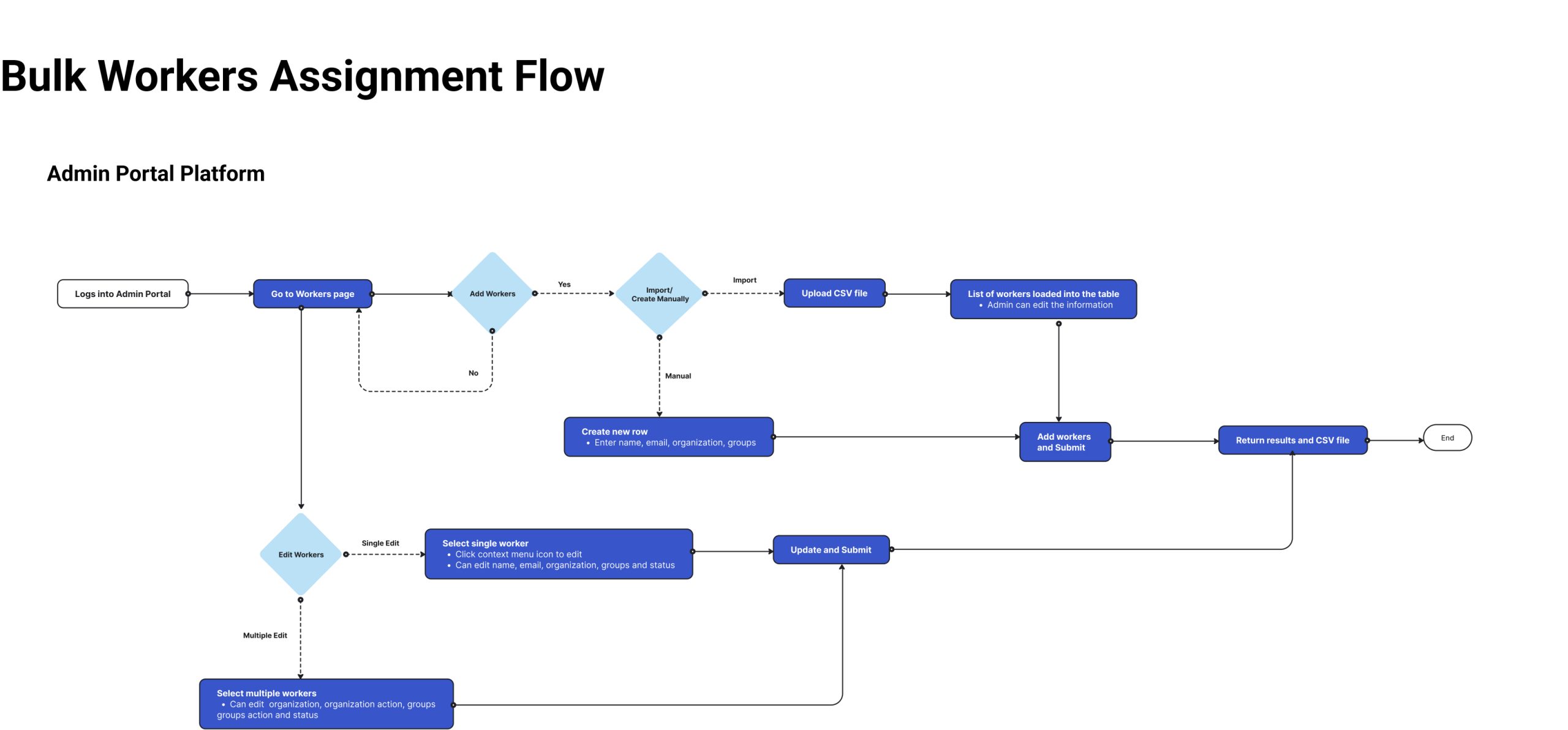
During the discovery phase, we identified what feature was missing in the platform and how the users could move their work to the platform and stopped relying on the external tool and at this stage, I came up with a proposed flow .
After the requirements were confirmed, I started creating the concept designs and then reviewed it with the users. In this phase, I presented the prototype to the users, answered doubts and questions with my team, and this went on for a few more sessions before the design was finalized.
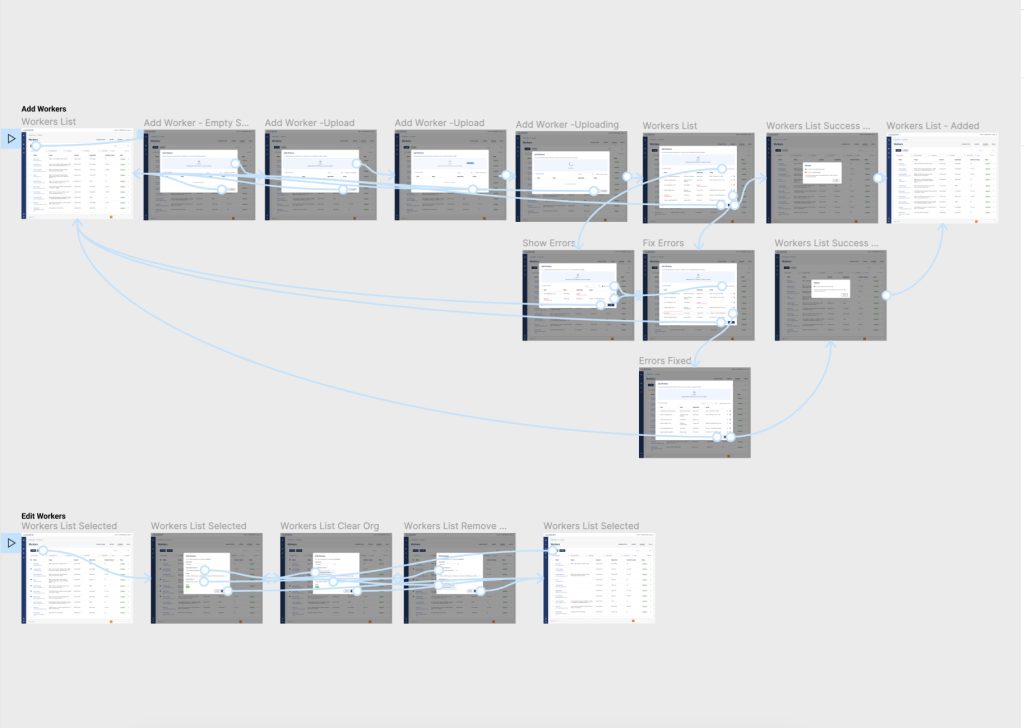
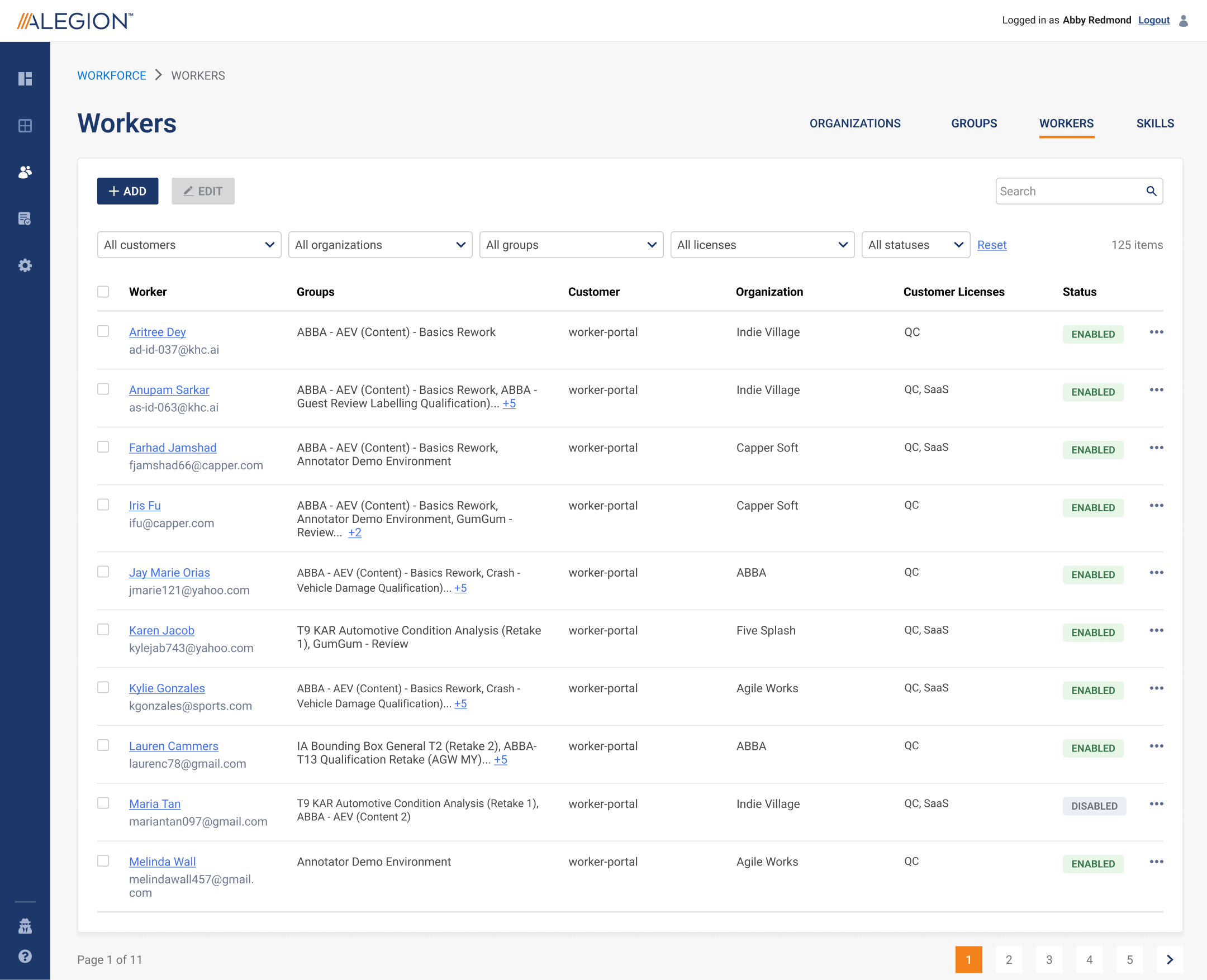
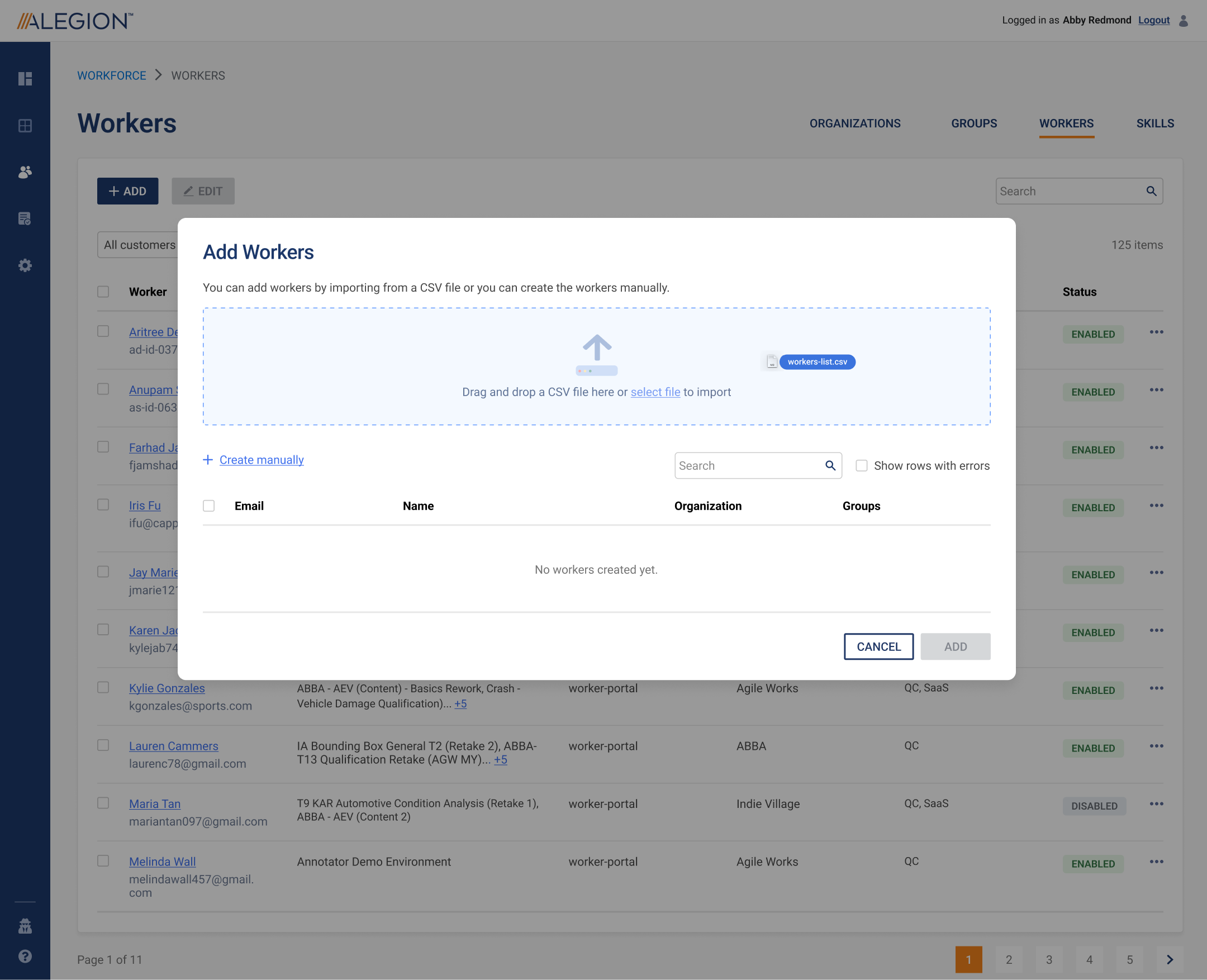
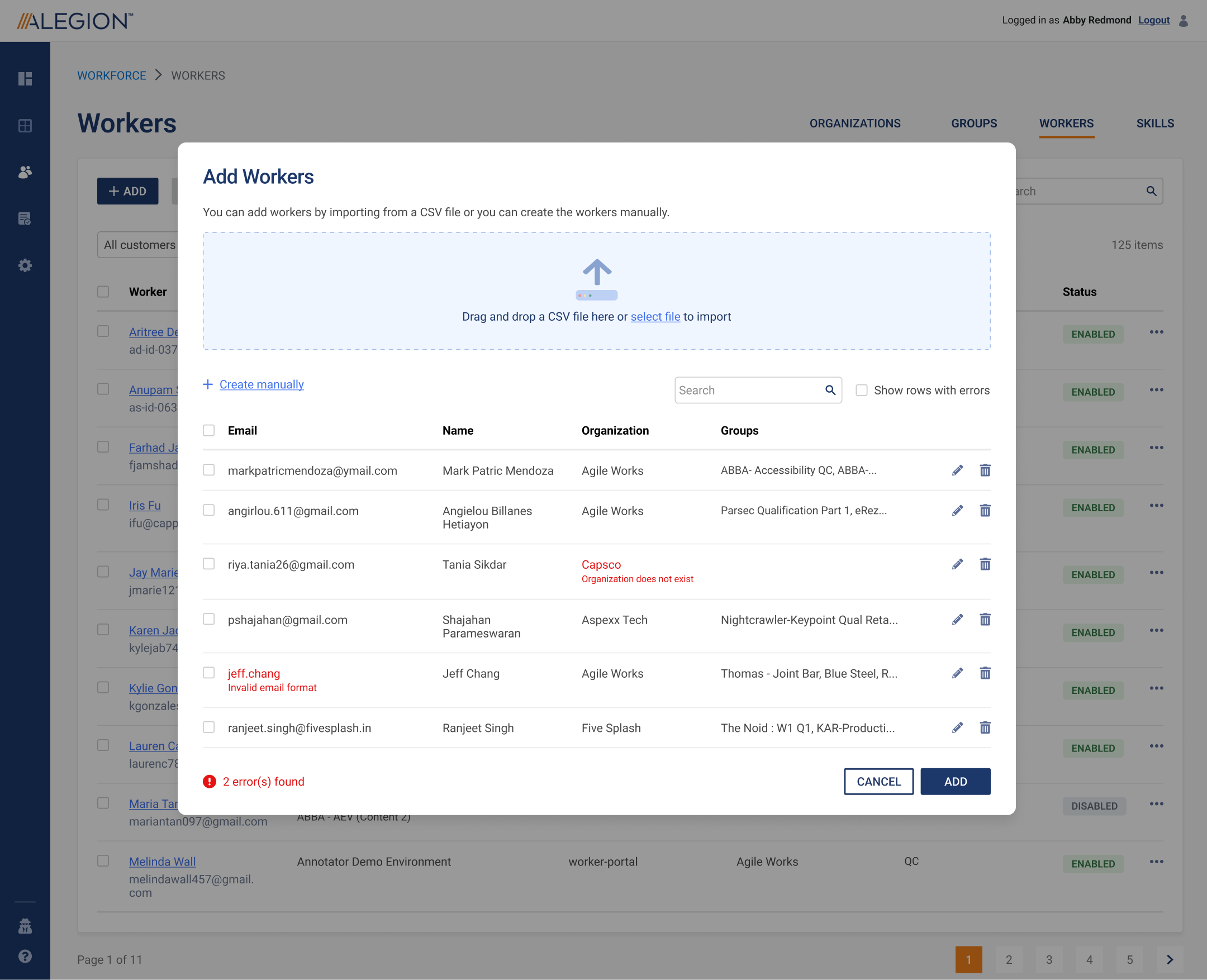
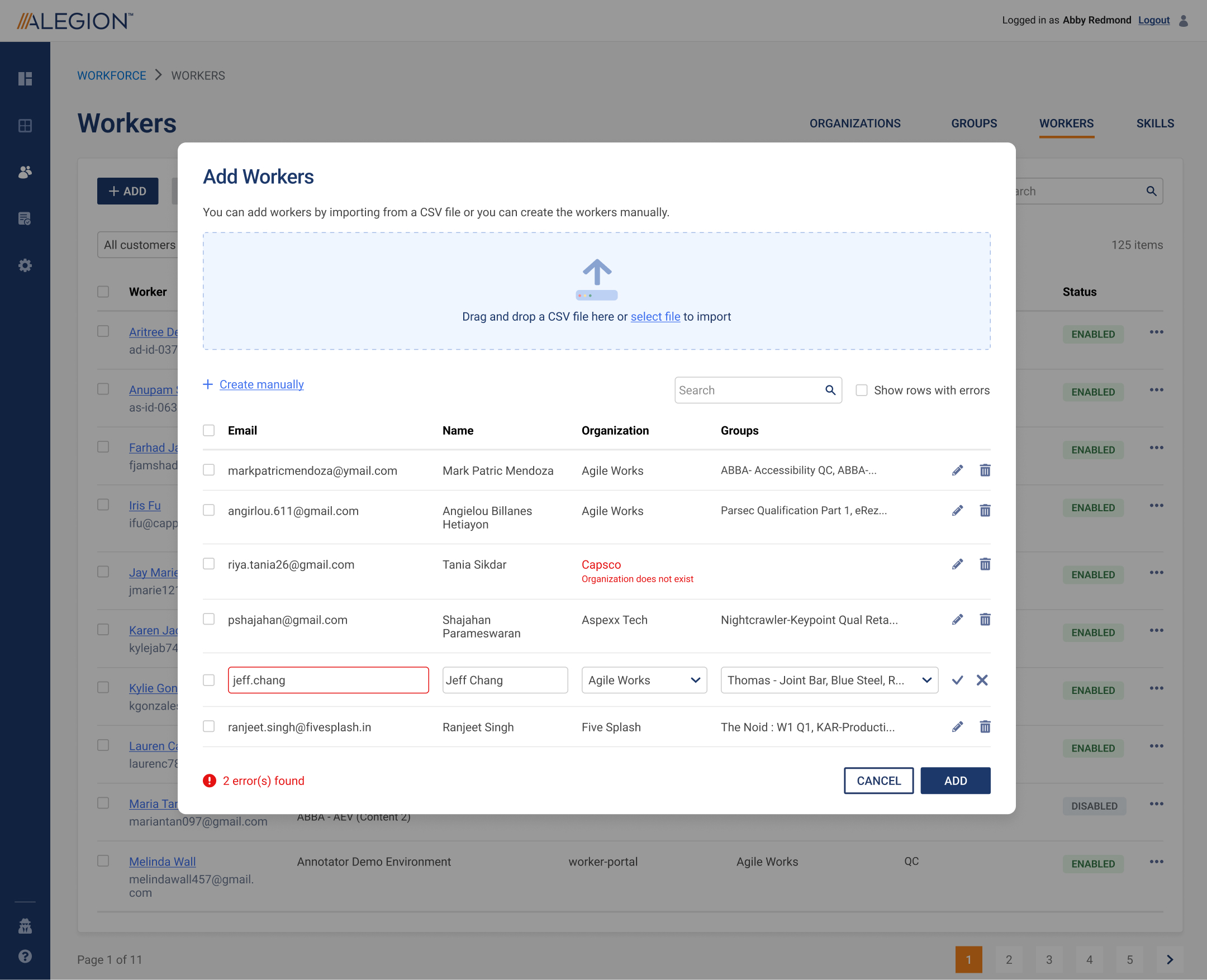
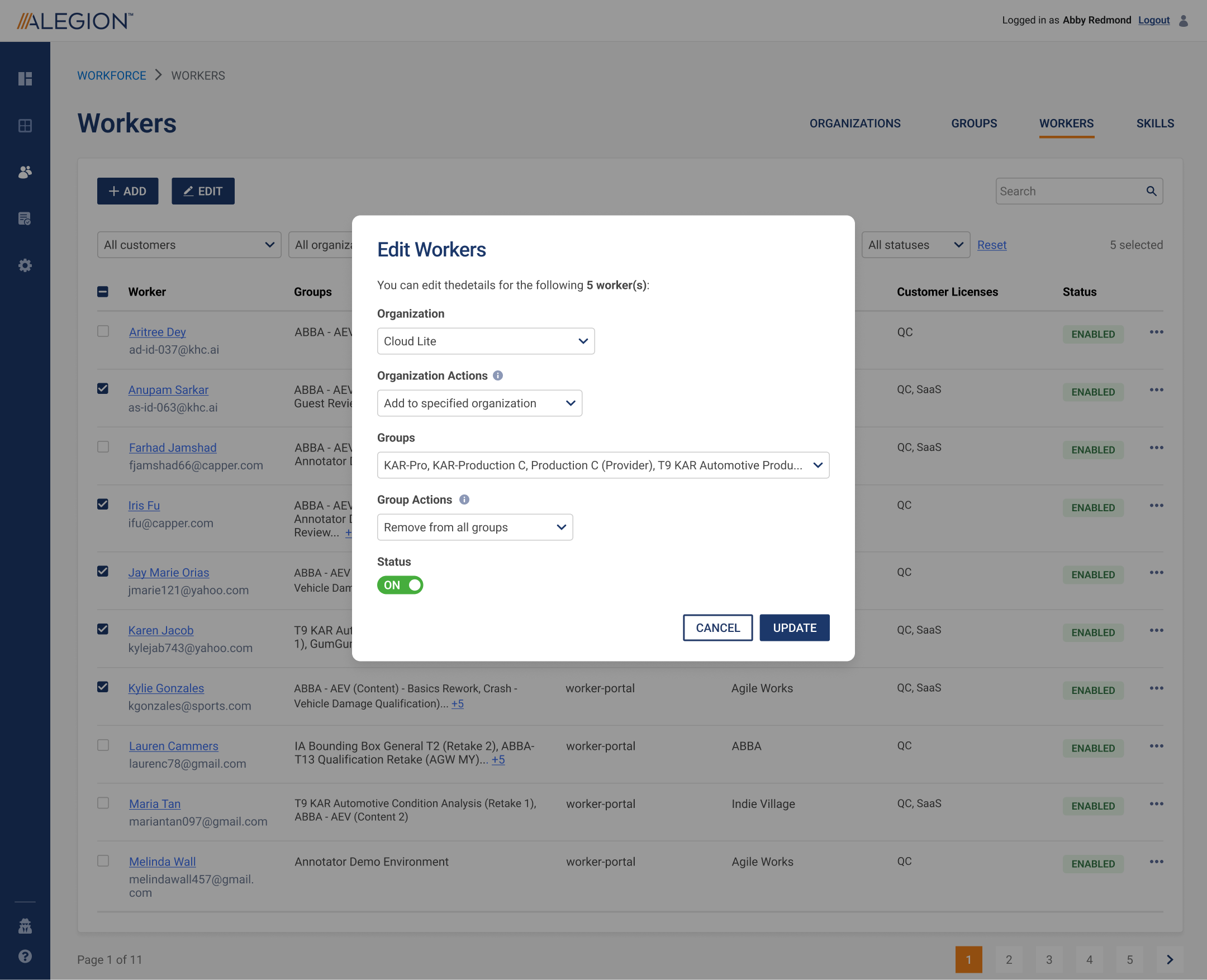
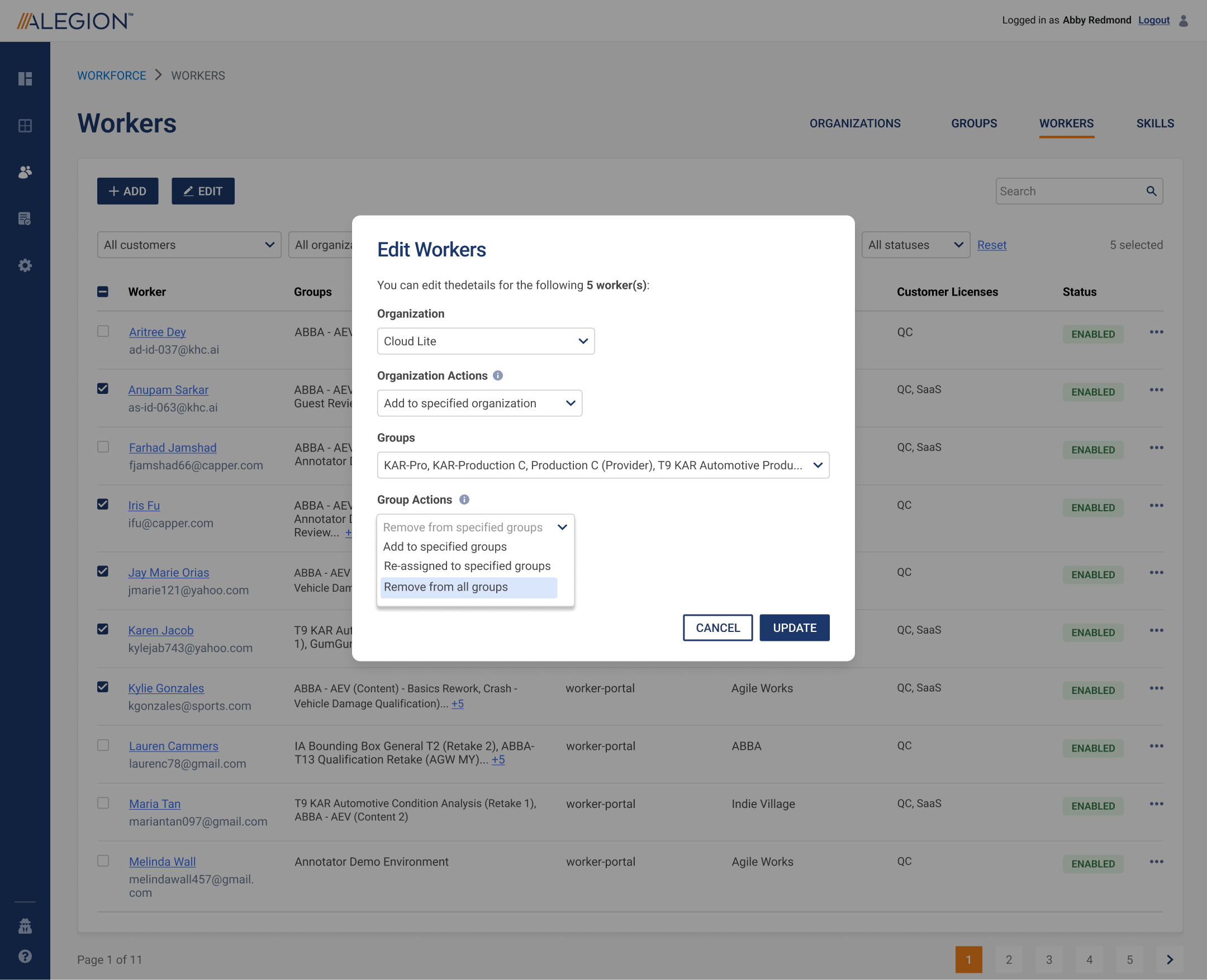
Once everything was confirmed, the project was handed to the developers and testers to implement it.
The final product was released on staging for the users to test. Any issues encountered by them will be captured and reported to us and this went on even when the product was launched.
Improvement
Below is the proposed concept design for the mobile version:
Conclusion
This feature was quite challenging when I first started working on it because the users wanted to make sure all of the data was captured. However, as I narrowed down the requirements and also had a few discussions with the users, the whole flow could be simplified and it did not look too difficult at all.
Their main concern about capturing all of the data was addressed by compiling the data into report which could be downloaded automatically, instead of displaying everything on screen, and the users agreed with this approach as well.