

Object tracking allows annotators to run an algorithm to track the movement of an object across videos. This increases efficiency in terms of annotation time and accuracy where they do not have to localize the entities manually. All they have to do is to press a button to track the object, which saves a lot of time and effort.
Business Goal
The goal of this project is to make annotation tasks more accurate and faster, thus, saving time and costs.
The Process
The process for this project was a little different from what I usually do. As the initial research was done by the Research and Development team, what I had to do was research the user interface and user experience part. How to make it more user-friendly and how does it fit into the user interface in our system? How do they turn on this feature on the platform? What are the input fields needed? Are there any conditions that I need to think about? These were the questions that I asked myself as I worked on this project.
I had to study and research object tracking because I was unfamiliar with the concept. It sounded complicated when I first heard of it. Still, as I started to come up with concept ideas and also talked to the R&D team, Product Managers, and engineers, I found out that the complicated part wasn’t about the user interface, but the back-end coding.
The Solution
I came up with the flow of how this feature is enabled from the admin side, and how the worker uses it to localize an entity, and below is the video of how the feature actually works.
In the video annotation tool, the annotator has to select a frame from the timeline, specify the number of frames to track (10 frames by default), and then press the tracking button to start the process.
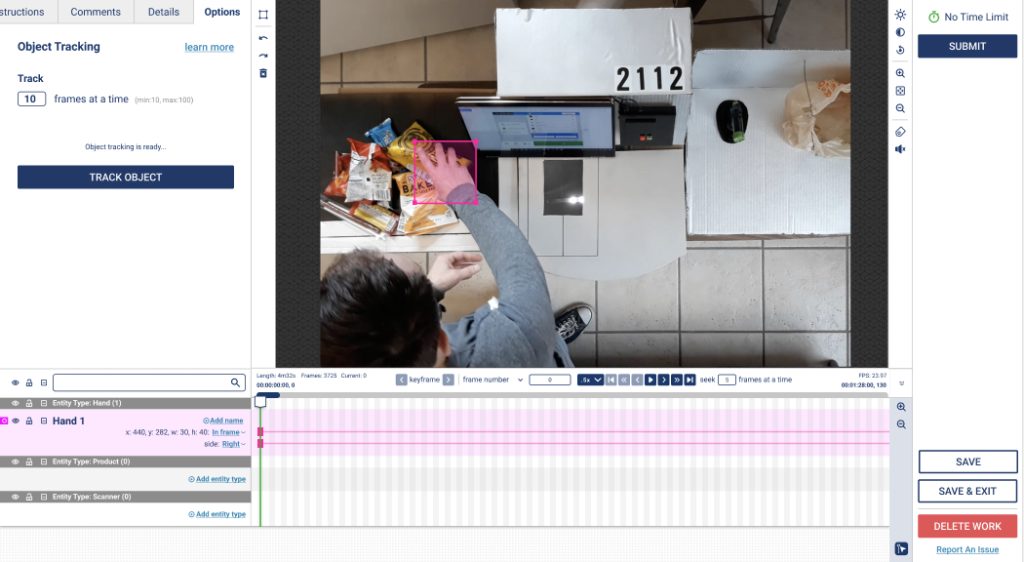

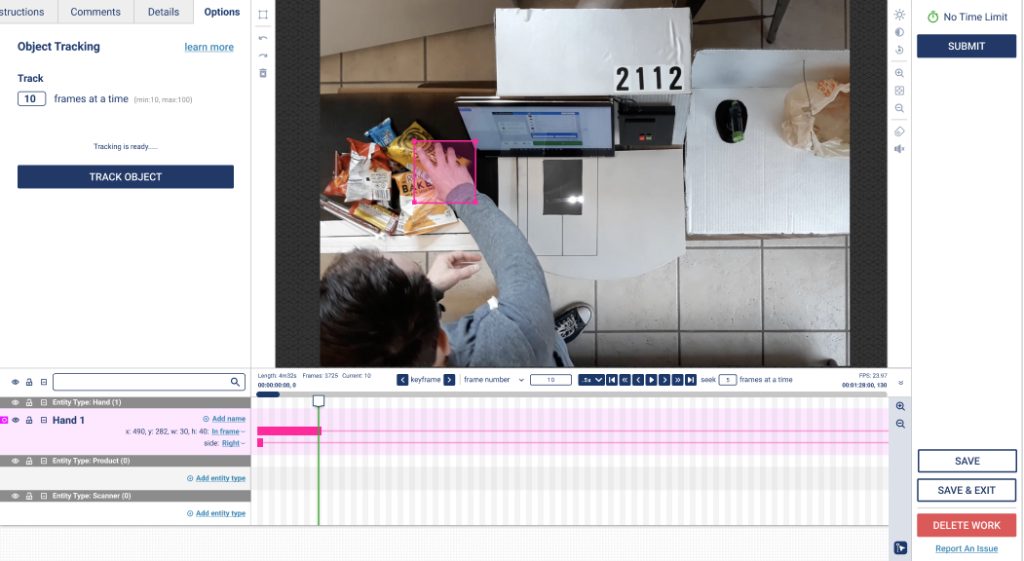
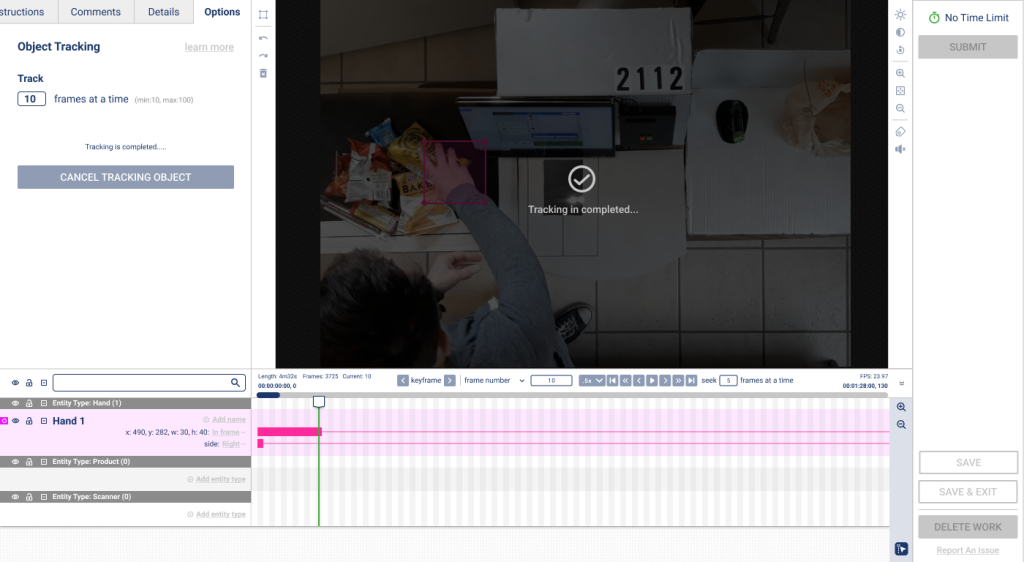
The only setting that the user has to configure in the system is to toggle a switch, which enables the object tracking feature.

Conclusion
This feature was quite straightforward from the UI/UX design point of view, but more effort was needed from the initial research and back-end development. It sounded daunting when I first started working on it, however, th


