
Goal
The main goal of the Semantic Segmentation project was to have a more accurate annotation and the ability for more efficient customer review, where customers could review and get delivery output of masks instead.
This project was divided into 3 milestones and I was tasked to design for milestones 1 and 2.
Issues to Solve
Milestone 1: Tight borders between entities
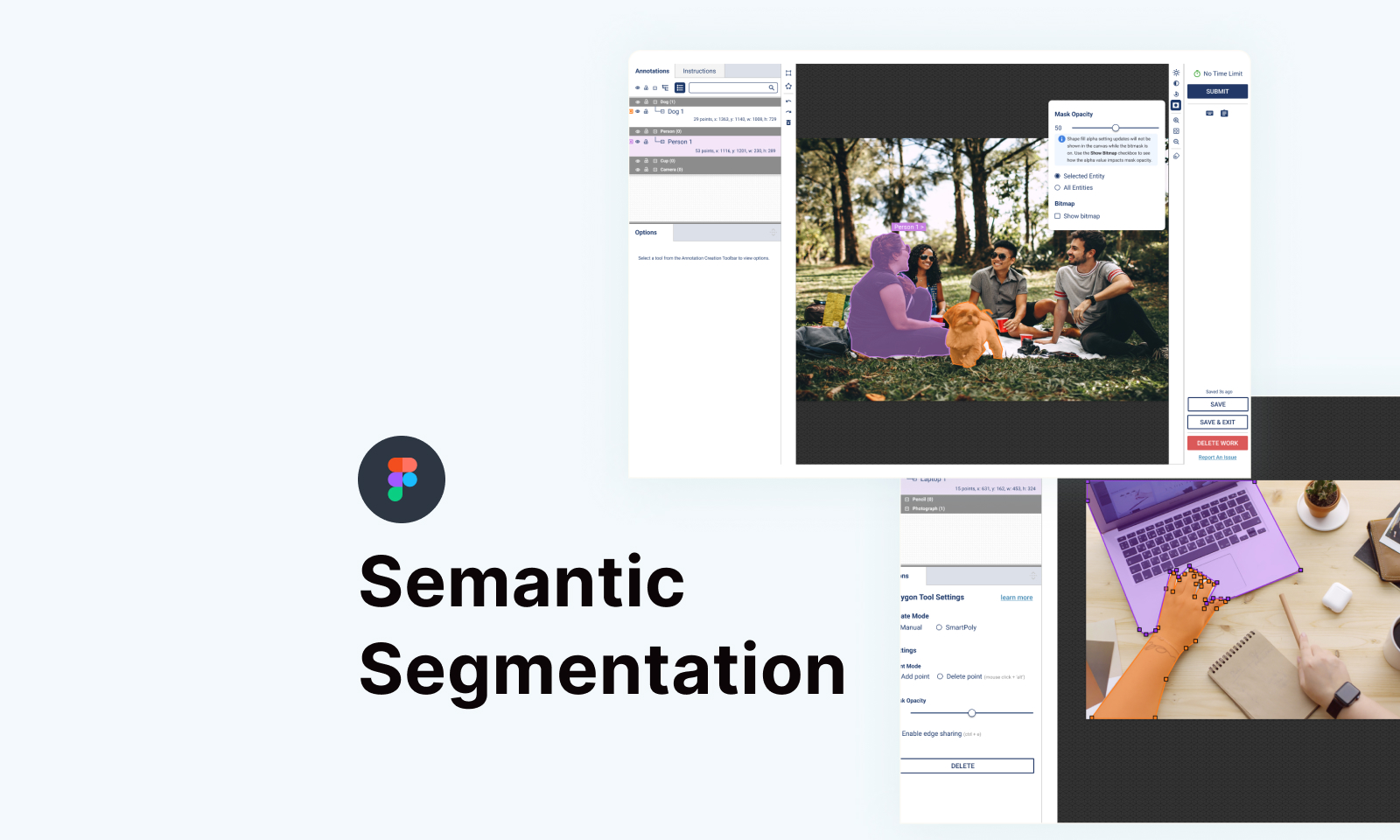
When two entities are adjacent, there should be no gaps and overlaps between them. Currently, the manual placement of polygon vertices makes it impossible for annotators to get the annotation of two vertices without gaps and overlaps. Refer to the Figma video below:
Milestone 2: Entity Ordering and Mask Opacity
Reviewers should be able to review annotations as a pixel mask and get the mask output instead of polygon borders. Currently, this requires the use of customized platform scripts. By having this feature, it should be easier for annotators to see the classified regions and areas that may remain unclassified. Therefore, we wanted to have the ability to order shapes in an image or video in order to control how pixels are classified in regions where polygons overlap.
Where classified regions must overlap, for example, road markers, signs on buildings, items with holes or voids, there needs to be a way to specify that a polygon needs to be in front for visualization and mask generation.

The Process and Solution
Both milestones’ features sounded familiar to me. As a matter of fact, both of the features are available in the existing authoring tools, like Photoshop, Illustrator, and even Figma. What I needed to do was to integrate these features into the existing Video/Image annotation tool. I did not do much research as I dived in right away into the design as I knew what I had to do.
For shared edges, we decided to have an option in the tool itself, where annotators could turn it on, and the vertices of the polygons could be snapped into place if there were adjacent vertices available.
As for the mask opacity and layer reordering, they were quite similar to what we see in Photoshop and other authoring tools, where there will be a shortcut menu for the annotators to access.
Below are the concept design workflows in Figma.
Conclusion
Milestone 1 and milestone 2 features were released in late October 2022, and although they weren’t considered really big features, still, they helped the annotators a lot, especially when annotating thousands of data in the system.


